Get all 11 courses for just $44.90
From zero to pro in two weeks. Use a promo code for 10% off — only $40.90 for lifetime access to everything.
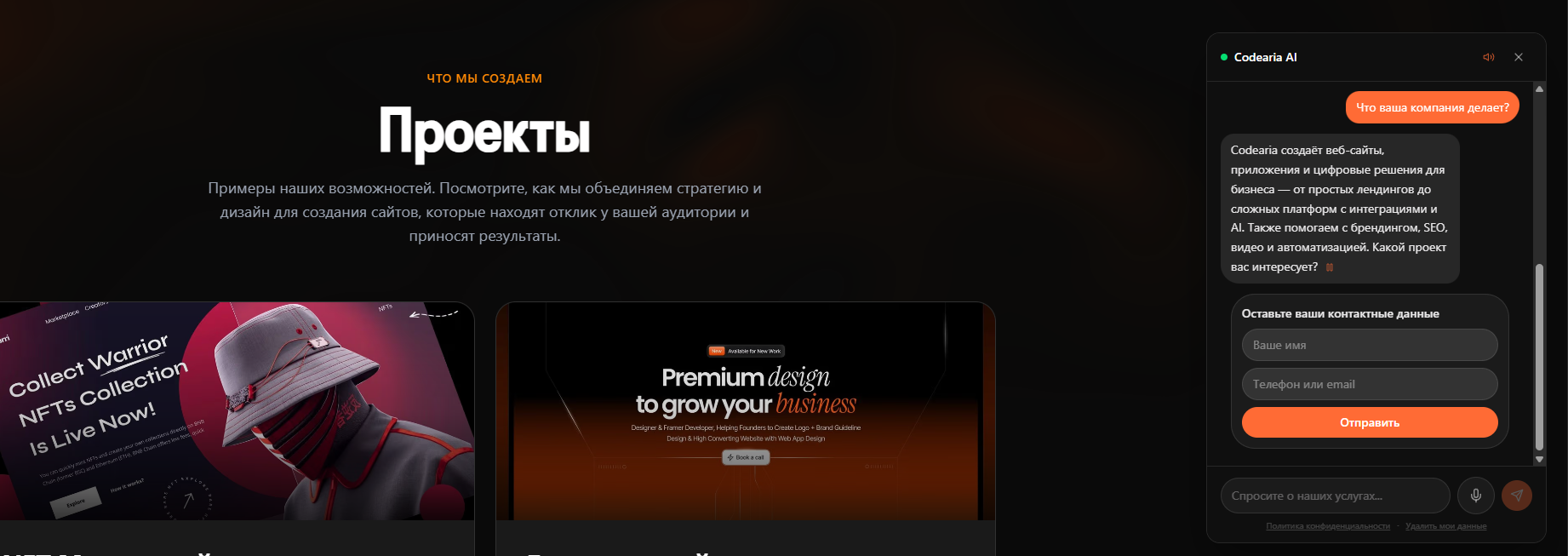
AI Assistant for Your Website
A smart chatbot that greets visitors, answers questions, recommends products, and converts conversations into leads — 24/7, without operators.
The AI assistant instantly engages every visitor in a natural dialogue. It understands context, answers product questions, offers personalized recommendations, and collects contact details — then forwards warm leads to your team in real time.
Based on real data from client deployments.
How It Works
Visitor Opens Chat
The widget loads on your site and greets the visitor with a context-aware opening message based on the current page.
AI Processes the Message
Claude AI analyses the question, pulls relevant info from your knowledge base, and generates a natural, brand-consistent reply.
Conversion Logic Kicks In
Built-in sales logic detects purchase intent and gently guides the visitor toward placing an order or leaving contact details.
Lead Handoff to Team
Warm leads are instantly forwarded to your CRM, Telegram, or email — with the full conversation transcript attached.
Analytics Dashboard
Track conversion rates, response times, popular questions, and ROI in a real-time dashboard built for decision-makers.
Continuous Improvement
The system learns from every conversation. You can fine-tune responses, add FAQ entries, and adjust the sales script at any time.
Want to go deeper?
Our structured courses cover these concepts in detail — with hands-on projects, code examples, and step-by-step guidance.
Key Benefits
Build It Yourself
11 courses for beginners and beyond — from zero to pro in two weeks.
Want to go deeper?
Our structured courses cover these concepts in detail — with hands-on projects, code examples, and step-by-step guidance.
File Architecture
A clean, scalable project structure. Every file has a purpose — API routes for AI, components for the chat UI, and lib for business logic.
my-ai-assistant/
├── app/
│   ├── api/
│   │   └── chat/
│   │       └── route.ts          # Streaming AI endpoint
│   ├── layout.tsx
│   └── page.tsx
├── components/
│   ├── ChatWidget.tsx            # Floating chat component
│   ├── ChatBubble.tsx            # Message bubble UI
│   └── TypingIndicator.tsx       # Typing animation
├── lib/
│   ├── ai.ts                     # Claude SDK config
│   ├── knowledge.ts              # RAG & knowledge base
│   └── leads.ts                  # Lead capture logic
├── prisma/
│   └── schema.prisma             # Database schema
├── .env.local
├── package.json
└── tailwind.config.ts
Key Code Snippets
You don't need to understand programming — just copy and paste the code below into your project.
Want to understand how it all works? Take our Claude Code Mastering course →
import { anthropic } from '@ai-sdk/anthropic';
import { streamText } from 'ai';

export async function POST(req: Request) {
  const { messages } = await req.json();

  const result = streamText({
    model: anthropic('claude-sonnet-4-20250514'),
    system: `You are a helpful sales assistant...
      Be friendly, answer product questions,
      and help customers find what they need.`,
    messages,
  });

  return result.toDataStreamResponse();
}'use client';
import { useChat } from 'ai/react';
import { Bot, Send, X } from 'lucide-react';
import { useState } from 'react';
export default function ChatWidget() {
const [open, setOpen] = useState(false);
const { messages, input, handleInputChange,
handleSubmit, isLoading } = useChat();
// ... floating button + chat window
}# Anthropic API Key
ANTHROPIC_API_KEY=sk-ant-...
# Database (PostgreSQL)
DATABASE_URL=postgresql://user:pass@localhost:5432/ai_bot
# App URL
NEXT_PUBLIC_APP_URL=http://localhost:30005 Commands to Launch
From zero to a working AI chatbot in under 10 minutes. Just run these commands in your terminal.
Create a new Next.js project with TypeScript and Tailwind
npx create-next-app@latest my-ai-bot --typescript --tailwind --appInstall the Vercel AI SDK and Anthropic provider
cd my-ai-bot && npm install ai @ai-sdk/anthropicAdd UI libraries: animations, icons, and database ORM
npm install prisma @prisma/client framer-motion lucide-reactInitialize the database and run migrations
npx prisma init && npx prisma migrate devStart the dev server and open localhost:3000
npm run devSystem Prompt Tips
Deployment Checklist
Environment Variables
ANTHROPIC_API_KEY, DATABASE_URL, and NEXT_PUBLIC_APP_URL must be set in your hosting provider.
Database Migrations
Run prisma migrate deploy in your CI/CD pipeline before the app starts.
CORS & Security
Whitelist your domain in the API route. Add rate limiting headers.
Rate Limiting
Limit API calls to 20 per minute per IP to prevent abuse and control costs.
Monitoring & Alerts
Set up error tracking (Sentry) and usage alerts for API spend.
Test Conversations
Run 20+ test dialogues covering edge cases before going live.
Tech Stack
Proven Results
These metrics are based on real deployments for e-commerce and service businesses. Results may vary depending on your industry, traffic, and product catalog. We customize every assistant to match your brand voice and business goals.
Ready to Build Real AI Systems?
This guide is just the beginning. Our courses take you from zero to production — with structured curriculum, practical projects, and expert guidance.
Comments