This Guide Is 100% Free
Enjoy the full guide — no payment required. But if you want to master AI tools from A to Z, we have 11 courses on AI, content, automation, and development.
5 Claude Skills That Work for You
Skills are custom instructions baked into Claude Code. You set them up once — and every response already knows your project, your style, and your rules. This is how pros use AI.
Custom Instructions That Make Claude Yours
A skill is a set of rules and context that Claude loads before answering. Think of it as a role card: “You are a senior code reviewer. Check for security, performance, and test coverage. Respond in bullet points.” Claude reads this before every answer — and behaves accordingly.
Skills are stored as markdown files in your project and are activated via slash commands like /commit, /review-pr, or custom ones you create. No API, no setup — just files that shape Claude’s behavior.
Create a .md file
Write instructions in natural language: who Claude should be, what to check, how to respond.
Save to .claude/commands/
Put the file in the commands folder. Claude Code auto-discovers it and turns it into a slash command.
Type /your-skill
Use it in Claude Code — the skill injects context and rules before your prompt. Done.
Each Agent Has Its Own Skills
At Codearia, we don’t use one generic Claude. We built a team of specialized AI agents — each with its own set of skills, rules, and personality. The result: code that ships faster, designs that match pixel-perfect, and bugs that get caught before production.

Navik
Project Navigator

Kodius
Code Architect

Pixia
Pixel Fairy

Rilka
Reels Queen

Bagunt
Bug Hunter

Buzly
Growth Hacker

Shchitus
Shield Guardian

Lukka
Visual Artist
Skills are what turn a generic AI into your personal team. In our courses, we show exactly how to build, tune, and deploy these agents for real projects.
One Setup Changes Every Response
Code Review Agent
Dispatches a dedicated code-reviewer subagent that catches issues before they cascade. Includes a pre-review checklist, mandatory review after major features, and uses git SHAs for precisely crafted context. 36K+ installs.
npx skills add obra/superpowersHow to use: after installing, the skill auto-activates on code changes. It runs a structured review: security, performance, edge cases, naming. Responds with specific line numbers and fix suggestions.
Git Commit Writer
Analyzes your staged changes and generates perfect conventional commit messages. Auto-detects type and scope from the diff, supports feat/fix/docs/refactor and more. Groups changes logically and explains "why" instead of "what". By GitHub. 19K+ installs.
npx skills add github/awesome-copilotHow to use: after installing, use /git-commit when you're ready to commit. The skill reads your staged diff, determines the type (feat, fix, refactor), and writes a clean message. You approve or edit before committing.
Frontend Design
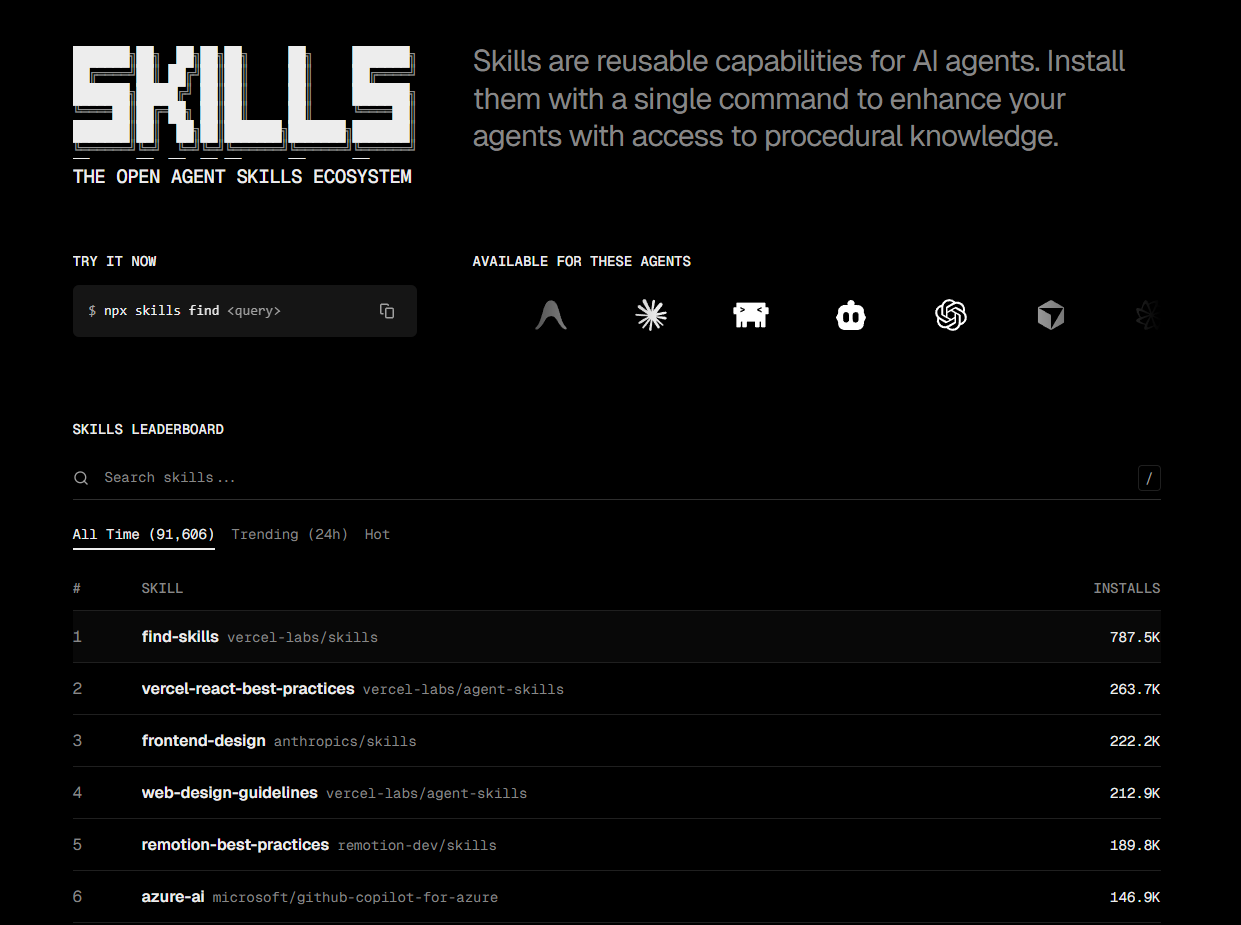
Official Anthropic skill. Creates distinctive, production-grade frontend interfaces with high design quality. Guides the agent through design thinking: purpose, tone, constraints, differentiation. Enforces bold aesthetic direction and fights against generic "AI slop" aesthetics. 222K+ installs — #3 most popular skill.
npx skills add anthropics/skillsHow to use: once installed, the skill activates when you create or edit UI components. It pushes Claude toward bold, distinctive design decisions — typography, color, motion, spatial composition — instead of generic templates.
Security Auditor
Security-first vetting for your code. Checks for red flags, permission scope, suspicious patterns, exposed credentials, and over-privileged access. Part of a full security suite that also includes credential-scanner, permission-auditor, dependency-auditor, and sandbox-guard. 12K+ installs.
npx skills add useai-pro/openclaw-skills-securityHow to use: install the full suite. The skill-vetter runs automatically on code changes. For deeper audits, use the credential-scanner to find exposed secrets and permission-auditor for access review.
Systematic Debugger
A strict 4-phase root cause debugging process. Core principle: "NO FIXES WITHOUT ROOT CAUSE INVESTIGATION FIRST." Covers test failures, production bugs, unexpected behavior, performance problems, build failures. Enforces completing each phase before the next. 45K+ installs.
npx skills add obra/superpowersHow to use: describe the bug or paste the error. The skill enforces a strict flow: 1) reproduce, 2) isolate, 3) root cause analysis, 4) fix + regression test. No shortcuts — each phase must complete before the next.
Where to Find More Skills
The 5 skills above are just the beginning. Here are the two best places to go deeper:
The Result
These 5 skills will transform Claude from a general-purpose chatbot into your personal engineering team. Code reviews happen automatically, commits write themselves, design stays consistent, and security issues get caught before deploy. And this is just 5% of what’s possible.
Want the Full Skill System?
These 5 skills are just the surface. Our courses teach you to build 20+ custom skills, connect them into AI workflows, and run a full AI team that ships code while you sleep.
Comments