The Spline 3D library: ready-made scenes for landing pages
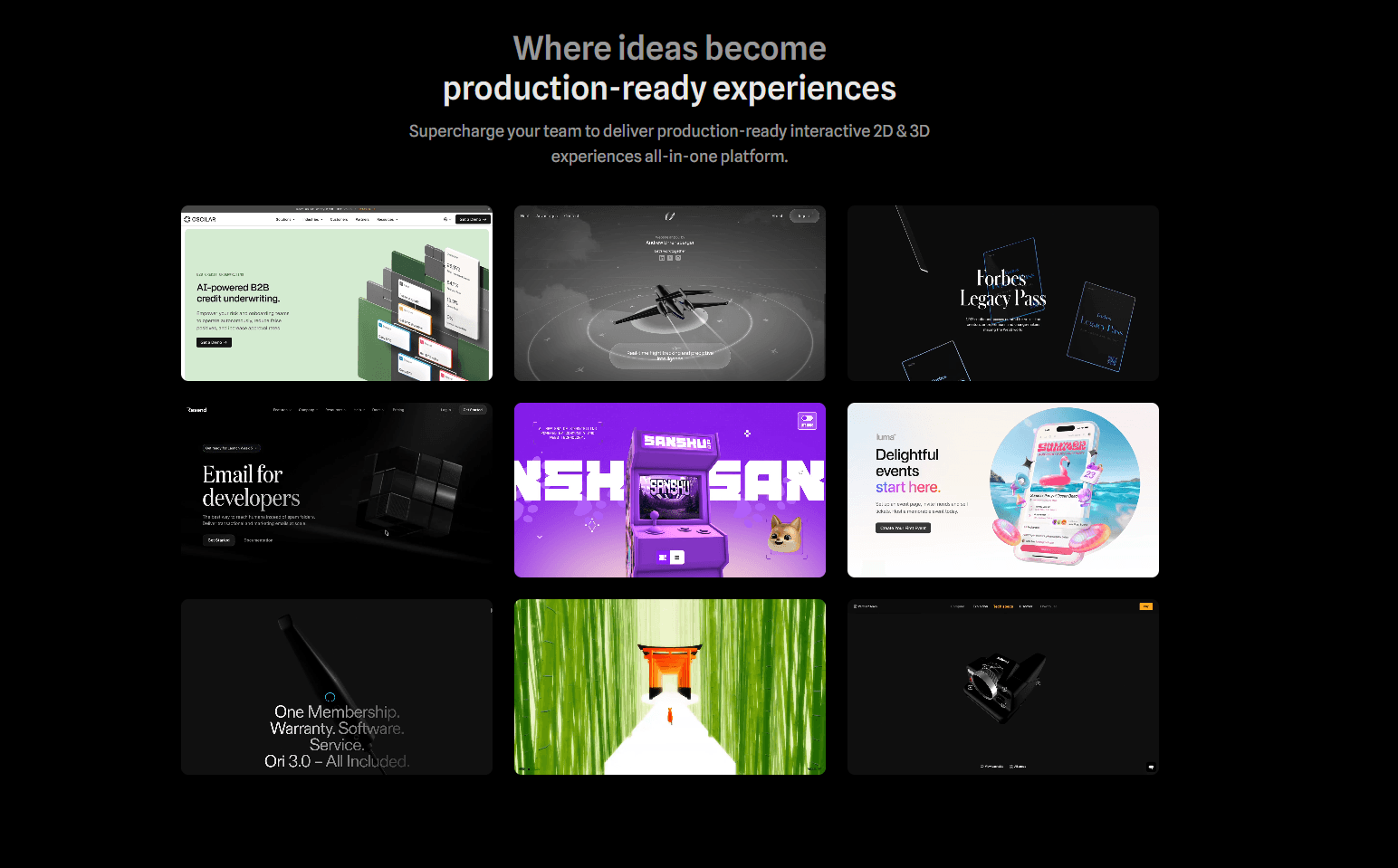
A cursor-following robot, liquid glass in the hero, living typography. Hundreds of ready-made scenes sit open and land on your site in two lines of code.
In this article6
Tools used in this piece

Spline is a 3D editor in the browser and, more importantly, a huge open library of ready-made interactive scenes. A robot that turns its head to follow the cursor. Liquid glass refracting a headline. Boxes that react to hover. Typography that falls apart. Hundreds of these sit in the Community section, open with a Remix button, and become your own copy where you swap the colours and text. Embedding takes two lines of code, and there are ready components for React, Next.js, Webflow, Framer and Wix. Community files are published under CC BY 4.0 — you may use them commercially, you simply credit the author.
A live 3D scene above the fold was, for fifteen years, a sign that a project could afford a studio. WebGL has shipped in browsers since 2013, but the road from "I want something beautiful on the home page" to a result ran through Three.js: scene, camera, lights, materials, render loop — all by hand, all in code.
That road can now simply be skipped. And it is not really about the Spline editor, where you build 3D with a mouse the way you would a Figma layout. It is about the library that grew around it, where designers from all over the world publish their scenes — and hand them to everyone else.
That is why Spline goes into our catalogue. Not as one more tool that takes a week to learn, but as a shelf you can take something finished from today. The catalogue of animated React components works on the same principle, except what you take there is a flat effect rather than a scene.
What is on the shelf
The library is sorted by job, and the section names say it outright: Interactive Website, Brand & Marketing, 3D Logos, 3D Icons, Particles, Materials, 3D Mockups, Product Design. Every piece shows its author, view count and likes, so what people actually put to work is obvious at a glance.
Here is what drew the most attention by the end of August 2026. Read the names — these are finished answers to problems that come up on every other landing page:
| Scene | Author | Views |
|---|---|---|
| Distorting Typography — a headline that breaks apart | sanny.verkissen | 177,188 |
| NEXBOT — robot character | aximoris | 176,044 |
| Robot follow cursor — for a landing page | victorgg | 175,075 |
| Reeded liquid glass — hero section concept | niemabiedy | 143,157 |
| Boxes Hover — boxes that react to the pointer | vladkolokolnikov | 136,175 |
| Retrofuturism — background animation | DesignGabor | 136,122 |
| GENKUB — a robot that greets you | kubrakgv | 102,152 |
| Tick Tock — a whole interactive landing | kennyK | 50,090 |
A hundred and seventy-five thousand views on "robot follows cursor" is not abstract popularity. That is how many times people went looking for exactly the effect you were about to spend half a day building by hand.
Particles and Materials deserve their own visit. Those hold building blocks rather than whole scenes — particle streams, liquid glass, metal, holography. They sit well behind an ordinary block of text: the page comes alive and there is nothing to build.
How to take a scene
- 1
Find it
Trending, Popular and New filters plus categories. For a landing page start in Interactive Website — that is where the above-the-fold pieces live.
- 2
Hit Remix
Your own copy opens. The original stays untouched, so break anything you like in yours.
- 3
Repaint it
Colours, materials, text, rotation speed. That is usually enough to stop the scene looking like someone else's.
- 4
Put it on the site
Export hands you a tag. React has its own component; Webflow and Framer have their own integrations.
The embed is literally two lines:
<script type="module"src="https://unpkg.com/@splinetool/viewer@2.0.14/build/spline-viewer.js"></script><spline-viewerurl="https://prod.spline.design/<id>/scene.splinecode"></spline-viewer>
For React there is @splinetool/react-spline — MIT licensed, 1,416 stars on GitHub, over 700,000 installs a month. Same job, delivered as a component.
Yes, you really can use these
The pleasant part: community files are published under CC BY 4.0. The licence allows modification and commercial use, which means a scene from the library can go straight onto a client's landing page.
The one condition is crediting the author. A name and a link to the original in the footer or a "built with" section settles it completely. Thirty seconds, and you both satisfy the licence and thank the person who saved you a day of work.
If you want to build your own
The library is the fastest way in, but the editor sits right there in the same browser tab. It has an agent that edits the scene from text commands: saying "remove the background and slow the rotation down" beats hunting for the right panel.
You can start free — the library, remixing and the editor are open immediately. Paid plans begin at $12 a month billed annually, which removes the watermark from web exports and unlocks unlimited files.
Two notes from practice
Load the scene lazily
3D is heavy graphics by nature. Put a static placeholder image in place and load the scene once the block scrolls into view. The first screen opens instantly and the scene arrives exactly when someone is looking at it.
Check it on a phone before release
Open the page on an ordinary handset, not just your work laptop. Often trimming a few objects out of the scene is all it takes to make the animation smooth everywhere.
In short
What makes Spline interesting is not that you can make 3D in it — it is that the 3D has already been made for you. Hundreds of interactive scenes — cursor-following robots, liquid glass, particles, living typography — sit openly, remix in two clicks, and travel to your site in two lines of code. CC BY 4.0 lets you take them into commercial work.
If you have been meaning to make the top of your landing page come alive, this is the shortest route to a result we have seen.
Numbers move
Views, versions and prices are as of 29 August 2026. The library grows daily — go and see what has landed since.

Comments