

CodeariaAcademy
AI
Codearia Academy

This Is More Than Just One Guide

11 courses and 27 free guides on AI automation for business — and beyond.

REA: how to let AI take apart any program (from zero, prompts included)
Reverse engineering with AI

REA: how to let AI take apart any program (from zero, prompts included)

In the video, AI found the rule in the code of Chrome's dinosaur game that makes it speed up. Here you repeat it yourself: one install command, one question to your assistant, and by step two you have your own game with a speed slider.

Claude Code and Codex3 promptsdos and don'ts
By the numbers

What you need to start

1 command

installs REA and connects it to your assistant

backs up your settings and asks before changing anything
17

AI assistants supported at setup

including Claude Code, Codex, Cursor and Gemini CLI
6 → 13

the dinosaur's speed-up rule, taken from the game's code

this is what REA found in the video
In plain words

Your assistant can write code, but it can't look inside someone else's program

Reverse engineering means figuring out how a program works from the program itself, without its source code. It used to take a specialist and a handful of heavy tools. REA connects those tools to your AI assistant, so you can ask your question in plain words. Think of an X-ray for a mechanic: it shows what's inside, and the mechanic explains what they see.

01

You ask

You ask your assistant about one feature: "why does the dinosaur speed up", "what does the % key do", "where does the export get saved". No code, no jargon.

02

REA looks inside

Through MCP, the plug-in socket for an assistant's tools, REA reads the code of a game, website or app and returns code snippets, pointers to places in the files, and what is still unknown.

03

Your assistant explains and builds

From those findings the assistant explains the rule in human language and can build a small version of its own for you to play with. The analysis runs on your computer.

Diagram: the AI assistant in the middle, REA plugged into it like a socket through which the assistant sees the program's code
How REA connects to your assistant: the assistant asks, REA looks inside the program
The story from the video

You can see the game speeding up, but not why. So you ask

Here is the dinosaur breakdown step by step. Each step grows out of the question the previous one left open.

  1. Question

    The dinosaur keeps running faster

    You can see it with your own eyes, but the rule is hidden in the game's code. So you ask your assistant to dig in with REA.

  2. Analysis

    REA reads the code of the running game

    The game is open in the browser, but the assistant can't see its code. So REA connects to the page and returns its whole script.

  3. Rule

    Three settings turn up in the code

    Speed starts at 6, grows by 0.001 with every step without a collision, and stops growing at 13. But for now these are just lines of code.

  4. Your version

    The assistant builds a mini game

    So the next step is the same formula in a small game where you move the speed with a slider. Now you can see the rule and test it.
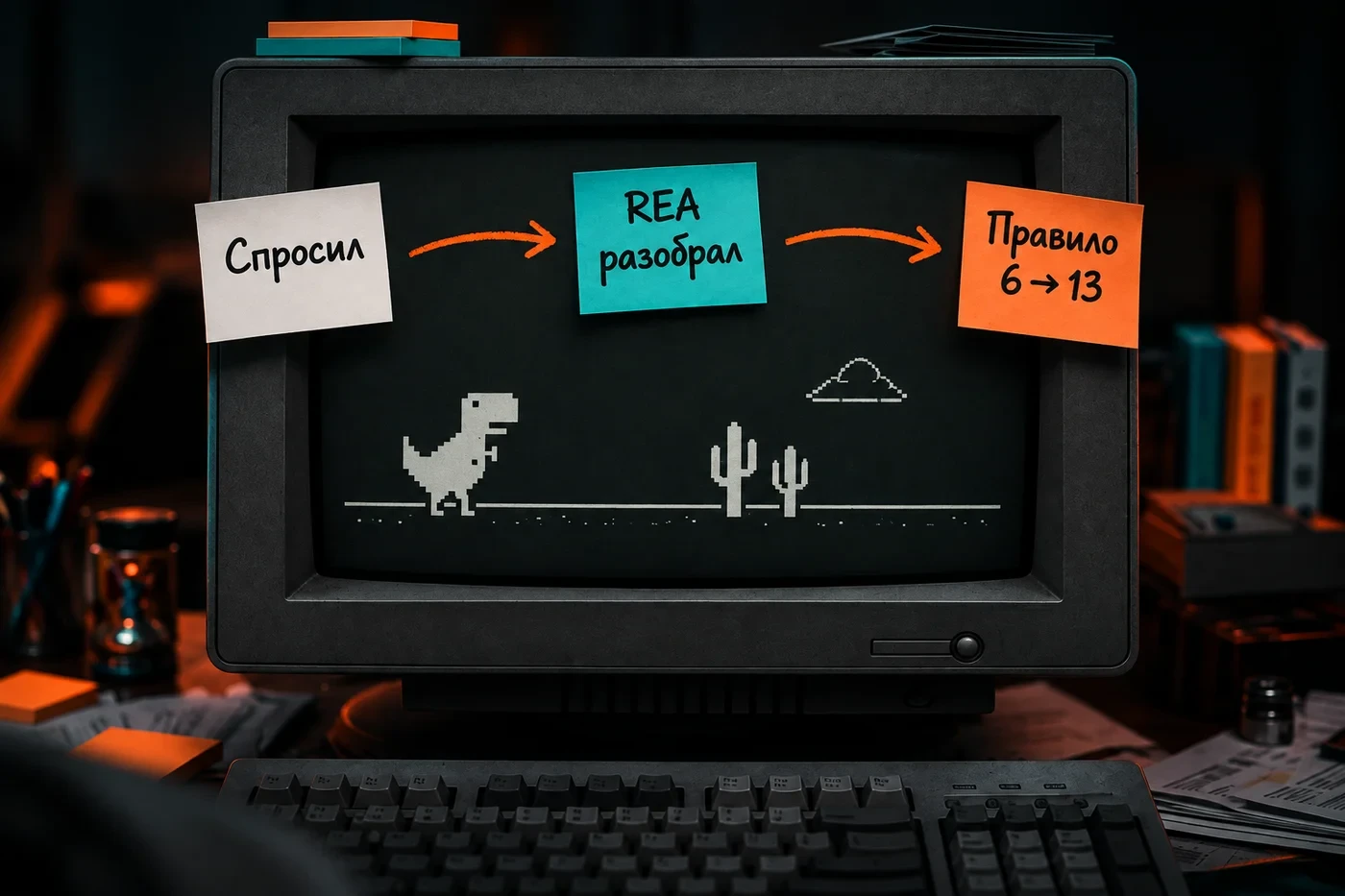

A three-step path: the question "why faster", REA analyzes the game's code, the speed rule 6 → 13 is found
Asked → REA analyzed → found the rule in the code
Try it yourself

Three steps: install, ask about the dinosaur, ask about your own app

You need an AI assistant in the terminal or an editor (Claude Code, Codex, Cursor) and Node.js 22.19 or newer: check with node -v. Paste the prompts into your assistant's chat.

01.Step 1. Install REA through your assistant

The assistant runs npx rea-agents@latest setup itself and shows you the plan. You approve it, then restart the assistant.

>Install REA and connect it to this assistant with the command npx rea-agents@latest setup. Show me the installation plan for approval first. After the restart, check that REA is connected and list the REA tools you can use.

Result: a list of REA tools. If the assistant doesn't see them, fully restart it and run the check again.

02.Step 2. Take apart the dinosaur, like in the video

You need Chrome. The assistant opens it with a separate profile and debugging port 9222 so REA can read the page's code.

>Open Chrome with a separate profile and remote debugging port 9222 on https://wayou.github.io/t-rex-runner/. Then use REA to connect to that page at http://127.0.0.1:9222 and figure out why the dinosaur runs faster over time. Show me the speed rule and the lines of code where it's defined. Then build a small version of the game with a slider that changes the speed.

Replace: the page address with your own browser game or website. Result: the rule "start at 6, plus 0.001 per step, cap at 13" and your own mini game.

03.Step 3. Ask about a button in another program

Same move, any feature. An example from the REA site: the Windows Calculator and its % key.

>Use REA to analyze [program]. Why does [what you see, e.g. "200 + 10% gives 220"]? Find the code responsible, explain the rule in plain words and show what the conclusion is based on. Separately, list what is still unknown.

Replace: the program and the question with your own. Result: a rule with evidence. In the REA example, after + the % key takes 10% of the first number: 20, so 200 + 20 = 220.

Ethics

Understanding how it works is fine. Taking what isn't yours is not

REA's authors state plainly what it's for: learning, research, interoperability, preserving old software, and analyzing what you own or are authorized to examine.

01

Games

Fine

Understand why a game speeds up and write your own mini game on the same principle.

Not fine

Making cheats, bypassing anti-cheat, tampering with online services.

02

Programs

Fine

Figure out how a button or an export works and build a similar feature with your own code.

Not fine

Copying someone else's program, its protected code and assets, bypassing license checks.

03

Websites

Fine

See which request goes out when you click on your own page or a training page.

Not fine

Bypassing logins, bot protection and access to systems you're not authorized to test.

04

The result

Fine

Use the findings to learn and to write your own.

Not fine

Assuming that source-like code gives you rights to the original. It doesn't.

Two columns: on the left, understand how a feature works and write your own; on the right, copy code, make cheats, bypass protection
Fine and not fine: understand, don't steal
Checklist

How to tell the assistant didn't make the answer up

A good answer includes

  • A place in the code: the file, line or address the rule comes from
  • The actual settings and numbers from the code, not a vague retelling
  • A check: the assistant ran the rule and compared it with the original
  • A list of what is still unknown

Ask again if

  • There's a rule but no pointer to the code
  • The assistant is sure of everything at once and names no gaps
  • The answer covers the whole program when you asked about one button
Plan for tonight

Your first breakdown in one evening

What to do, in order. The prompts for each step are above.

1 / 6

01.Check Node.js

Run node -v in the terminal. You need 22.19 or newer; if not, install a fresh one from nodejs.org.

Node.js

What REA doesn't do

  • 01

    It doesn't give you a program's source code. For apps it returns source-like code and machine instructions, and your assistant writes its own version of a feature from those findings.

  • 02

    It doesn't recreate someone else's app on its own. REA hands over findings, your assistant writes its own version, and that works best on a single feature.

  • 03

    AI-assisted analysis can be incomplete or wrong. The authors say so themselves, so check important conclusions against the code.

  • 04

    Deep analysis of desktop programs needs a separate tool: Hopper, Ghidra or IDA. Websites and JavaScript apps don't need one.

  • 05

    The analysis itself runs on your computer, but the findings go to your assistant, and so to the company whose model runs it.

Some coverage described REA as "free Photoshop" and "GTA on an iPhone". The project itself promises nothing of the kind.

One feature at a time

We think the best first question is a narrow one: one button, one behavior, one number. Your assistant can take apart and check "why does the dinosaur speed up". "Make me the same game" turns into guesswork.

Go deeper

Mastering Claude Code: From Zero to Power User

REA is one of the tools that plug into Claude Code through MCP. In the course we cover how to work with an assistant in the terminal: tasks, tools, permissions and checking the result.

About the source

REA is an open-source project by morluto under the MIT license, with 301k stars on GitHub. The dinosaur and calculator examples come from rea.tools. REA updates often: commands and the list of assistants are as of October 17, 2026, so check the current ones before installing.

REA site with examples
All courses

Go the whole way

The guide gives you a direction. The courses take you from the first prompt to a working result: agents, automation and working in Claude Code.

11 courses included
52 modules
315+ lessons
$44.90one payment, lifetime access

Comments

REA: let AI take apart any program | Codearia Academy