$ cat articles/claude-fable-5-2-claude-code-overnight-task.md
Explainer· Development· Automation· 18 min read· Nov 10, 2026
The overnight task for Claude Code: hand Fable 5.2 a big job before bed and review the finished work in the morning (5 steps)
Most agents wait for you at every step; this one works all night. Write a brief, set /goal with Fable 5.2, then check the result and your usage in the morning.

An overnight task is a way to hand Claude Code a big job in one go: in the evening you describe the result and put all the materials in one folder, the agent drafts a plan, you approve it, and from then on it works without you until it has checked for itself that everything is done. Claude Code has a command for this, /goal: you write a completion condition, and after every turn a separate model checks whether it has been met. The new Claude Fable 5.2 model suits this kind of work better than most: Anthropic released it on November 9, and it carries the job through to the end instead of stopping halfway. In the morning you check the result and see how much of your usage limit it took.
You usually give an agent a big task and then sit next to it.
Ten minutes in, it asks for permission. Then again. By midnight you have made half its decisions for it, and a third of the work is done.
The agent isn't weak. It waits for you at every step, and it can't tell on its own when the work is finished.
An overnight task fixes both problems: you write down once what the result should look like and how to check it, then you go to bed. That is how developer Lex Toumbourou built a browser game for his nephew from the boy's drawings: one prompt in the evening, a finished game in the morning.
Below we follow his process on your own task. By step 2 you will have a plan for a big job that the agent can carry out without you.
What an overnight task for Claude Code is, in plain words
An overnight task is a brief for Claude Code with three parts: what to do, how to check it's done, and when to stop. Claude Code is an AI assistant that works directly with the files on your computer: it reads them, writes them and runs programs.
Imagine you're going away and leaving a renovation to a crew. Say “make it nice” and they'll call you every hour. Leave a floor plan, tile samples and the rule “it's done when no water leaks and the lights switch on”, and the crew will finish on their own while you sign off on a checklist in the evening.
The old way, sitting next to the agent and approving things, doesn't hold up on a big task: the agent has to stop at every question, and in the end it's easier to do it yourself. Two features in Claude Code change that. Auto mode skips permission prompts for individual actions but checks them for safety in the background. The /goal command stops the agent from quitting early: after each of its turns, a separate model reads the condition and decides whether it has been met.
Why Fable 5.2 in particular. Anthropic says the model responds up to 30% faster than the previous version and costs less. More important: Uber ran it on a 10–12 hour security audit and noted that it keeps working until the task is actually finished, instead of stopping at a plausible-looking point. We covered how Fable differed from its neighbours before in our comparison of Fable 5.1 and GPT-6 Astra.
Do you need this
It's worth an evening if:
- you have a task that takes several hours and can be described by its result: a website, a game, sorting through a big folder of documents, translating every file;
- you have already tried Claude Code and you're tired of answering “yes” every five minutes;
- you have a paid Claude subscription and you're ready to spend a noticeable share of your weekly limit on an experiment.
You can skip it if your task takes one or two replies in a chat: the agent doesn't need a whole night for that. And if you have never opened a terminal, start with a short task during the day, sitting next to it, and save the overnight one for later.
Step 1. Put everything in one folder and switch to Fable 5.2
What you need beforehand: Claude Code installed, a paid Claude subscription, and a folder where the agent is free to change anything.
- Create a separate folder for the task and put all the materials there: texts, photos, scans, examples. Lex put scans of his nephew's drawings in a
generation/scansfolder and named that path directly in his prompt. - If you know what git is, make the folder a repository: the agent can then save its work as it goes. If not, don't worry, Claude Code has its own checkpoints.
- Open a terminal in that folder and start Claude Code with Fable 5.2.
- Check your limits with
/usage: it shows how much of your weekly limit is already gone.
cd ~/night-taskclaude --model fable/effort high/usage
By default Claude Code runs at the medium effort level. For unattended work we set it to high: the model thinks longer over each step but does fewer unnecessary things. That's our opinion and you can disagree: if the task is simple and long (say, renaming and sorting a thousand files), medium is enough and saves your limit.
Result: the Claude Code status line shows the Fable model, and you know how much limit you have for tonight.
Step 2. Ask for a plan and read it before you start
This is your first result, and it's useful on its own: even if you never launch anything, you'll have a big task broken down into steps.
- Press
Shift+Taba few times untilplan mode onappears at the bottom. In this mode Claude reads files and proposes a plan but changes nothing until you approve. - Send the prompt below. It's modelled on Lex's prompt: the goal, how the result should feel, where the materials are, freedom to decide, saving as you go.
- Read the plan. If something is off, correct it in words, the way you'd correct a person.
I want you to carry [what to do] through to the end. The result should feel like [what it resembles, a real-life example].
All the materials are in this folder: [what is where].
Make your own decisions where you're unsure; what matters most is that [the main criterion: easy to use, fun, clear to my grandmother].
Save your work as you go. If the existing work gets in the way, feel free to start over.
First write a step-by-step plan to a file called PLAN.md. At the end of the plan, list how you will check for yourself that each step is done.
Replace: the square brackets with your task. For example, “a one-page website for my pottery studio”, “feel like the page of a cosy café”, “photos of my work in the photos folder, texts in about.txt”.
The last lines of Lex's prompt are worth remembering: they allow the agent to save its work and not be afraid of redoing things, and without them it will keep stopping to ask.
Commit as you go. Don't worry about destroying what exists. Start fresh where it makes sense.
Result: a PLAN.md file with a list of steps and a way to check each one. You can open it in any editor and edit it by hand.
Lex also cheered the agent on in his prompt: “you are a world-class game developer”. He writes himself that he isn't sure the new model needs it, but it doesn't hurt either. We leave that line out: a concrete success criterion works more reliably than praise.
Step 3. Give the agent a way to check itself
The most interesting part of Lex's story isn't the size of the game but how the agent tested it. Its reasoning logs show that it wrote its own bot, which played through all twelve levels in a headless browser, and then looked through the screenshots for bugs. Without that kind of check, you might wake up to a game that crashes on level three.
- Think about how you would check the result yourself: open the site on a phone, play the game, compare the spreadsheet with the source files.
- Ask the agent to turn that into a check it will run on its own.
- Ask it to post the outcome of the check in the conversation. This matters for the next step: the model that decides whether the work is done doesn't open files itself and judges only by what the agent has printed on screen.
Add a final check to PLAN.md that you will run yourself, without me: [how to check, for example "open the site in a browser at phone width and take screenshots of every page"].
After every check, write a short note in the conversation: what was checked, what passed, what didn't.
Replace: the check with your own. For documents that's “compare every number in the final table with the source file”, for a translation “read every page and find untranslated lines”.
Result: the plan has an item the agent will run on its own and report on. In the morning you'll see a report, not just finished files.
Step 4. Launch it for the night with a completion condition
- Approve the plan and leave plan mode. Keep pressing
Shift+Tabuntil auto mode is on: in this mode the agent doesn't ask permission for every action, and background checks keep an eye on safety. In recent versions of Claude Code this mode is on from the start. - Set the goal with the
/goalcommand. Phrase the condition as something the agent can show in the conversation, and add a turn limit so the night doesn't disappear into endless polishing. - Leave the terminal open and don't let the computer sleep: the work runs on your machine.
/goal Every item in PLAN.md is marked done, the final check from PLAN.md has passed, and its outcome is printed in the conversation. Otherwise stop after 40 turns and write what is left.Replace: the number of turns with your own. For the first night we would set it lower: that way you'll see how much limit each turn uses and can measure more precisely next time.
Result: ◎ /goal active and the elapsed time appear at the bottom. From here the agent starts each new turn itself until the checking model says “done”.
If your limit runs out at night
Claude Code will wait for your subscription limit to reset and continue the task on its own, as long as the terminal stays open. After three automatic continuations in a row it stops. If the computer slept for more than half an hour, you'll need to press Enter in the morning to get the work going again.
Step 5. In the morning, check the result and the usage
- 1
/goal
With no arguments it shows the status: whether the condition is met, how many turns have run, how many tokens were used, and the checking model's latest explanation.
- 2
Check report
Scroll the conversation to the latest report: what the agent checked itself and what failed.
- 3
By hand
Open the result the way people will use it: the site on a phone, the game with a controller, the spreadsheet in Excel.
- 4
/usage
See how much of your weekly limit the night took. That's your yardstick for the next overnight task.
If the night went the wrong way, /rewind or pressing Esc twice takes the conversation and the files back to an earlier point. If the result is good overall, don't rewrite everything: give small fixes one at a time. That's what Lex did: after the kids played the game, the agent drew new transformations and characters at their request, updating the story each time.
I've checked the result. Here's what's wrong: [list, one item per line]. Fix one item at a time and run the final check from PLAN.md after each one.Replace: the list with your own notes.
Result: finished work and a clear price for the night as a share of your limit.
Where an overnight task won't work
- The limit. On the Pro plan and standard Team seats, Fable can use no more than 50% of the weekly limit. Lex's game took about 600 requests over two days, and he doesn't say what that cost. On Pro it makes sense to split a big overnight task across two nights. This week Anthropic is giving subscribers one to three Fable limit resets, a good moment to try it.
- Safety. Auto mode cuts down on questions, but Anthropic itself says it doesn't guarantee safety. Give the agent a folder with nothing you'd mind losing, and keep passwords and personal documents out of it.
- A vague condition. The checking model only sees the conversation. It can't verify “make it good”, but it can verify “the check from PLAN.md has passed and its outcome is printed”.
Versions and prices as of November 10, 2026; check the current ones.
What to hand over for the night: five scenarios
- A game for a child, based on their drawings. Scan the drawings into a folder, describe what game it should feel like, and ask for a bot that plays through every level. That's exactly Lex's scenario.
- A one-page website from a folder of photos. Photos of your work, a couple of paragraphs about yourself, and an example of a site you like. Check: screenshots of every page at phone width.
- Order in your documents. A folder of scanned receipts, contracts and certificates: the agent renames the files by date and type, sorts them into folders and builds a spreadsheet. Check: every row of the spreadsheet points to a file that exists.
- Translating all your texts. A website, a manual or a set of notes into another language, in full. Check: not a single untranslated line, and the same names throughout.
- Reviewing an old project. If you have code of your own, the agent goes through all of it and lists bugs with fixes, like the Uber audit, only smaller.
Prompt set
Plan for a big task
I want you to carry [what to do] through to the end. The materials are in this folder: [what is where]. Write a step-by-step plan to PLAN.md and at the end list how you will check each step yourself.Self-check
Add a final check to PLAN.md that you will run yourself: [how to check]. After every check, write in the conversation what passed and what didn't.Goal for the night
/goal Every item in PLAN.md is done, the final check has passed, and its outcome is printed in the conversation. Otherwise stop after [number] turns and write what is left.Morning report
Briefly list: what got done overnight, what failed the check, and which decisions you made on your own without me, and why.Fixes after review
Here's what's wrong: [list]. Fix one item at a time and run the final check from PLAN.md after each one.Preparing a second night
Update PLAN.md: mark what's done, add what's left, and estimate how many turns it will take.Plan for tonight
- 1
10 minutes
Pick a task and gather the materials in one folder.
- 2
5 minutes
Start Claude Code with Fable 5.2, set /effort high, check your limit in /usage.
- 3
20 minutes
In plan mode, get PLAN.md and correct it in words.
- 4
10 minutes
Add a final check to the plan that the agent will run itself.
- 5
5 minutes
Turn on auto mode, set /goal with a turn limit, leave the computer on.
- 6
Morning, 20 minutes
Look at /goal and /usage, check the result by hand, send a list of fixes.
You used to sit beside it, now you write the brief
Before, you answered “yes” to the agent until midnight and made half its decisions → now you write in the evening what the result should be and how to check it, and in the morning you sign off on the work.
An overnight task isn't about the agent working longer. It's about you saying in advance what “done” means.
What we take from Lex's story isn't the game but the order: what to do, how to check it, and when to stop.
How to write briefs like this without wasting your limit is something we cover step by step in the “Mastering Claude Code” course.
Sources7expand
- Anthropic, “Introducing Claude Fable 5.2 and Claude Mythos 5.2”, November 9, 2026 — https://www.anthropic.com/claude-fable-and-mythos-5-2
- Lex Toumbourou, “Fable 5.2 one-shotted my nephew's dream game”, November 10, 2026 — https://notesbylex.com/fable-5-2-one-shotted-my-nephews-dream-game
- Claude Code Docs, “Keep Claude working toward a goal”, checked November 10, 2026 — https://code.claude.com/docs/en/goal
- Claude Code Docs, “Permission modes”, checked November 10, 2026 — https://code.claude.com/docs/en/permission-modes
- Claude Code Docs, “Model configuration”, checked November 10, 2026 — https://code.claude.com/docs/en/model-config
- Claude Code Docs, “Manage costs effectively”, checked November 10, 2026 — https://code.claude.com/docs/en/costs
- Claude Code Docs, “Interactive mode: wait for a usage limit to reset”, checked November 10, 2026 — https://code.claude.com/docs/en/interactive-mode
$ grep tools: articles/claude-fable-5-2-claude-code-overnight-task.md
Tools from this piece
Each has its own card: check date, stars and a short verdict.
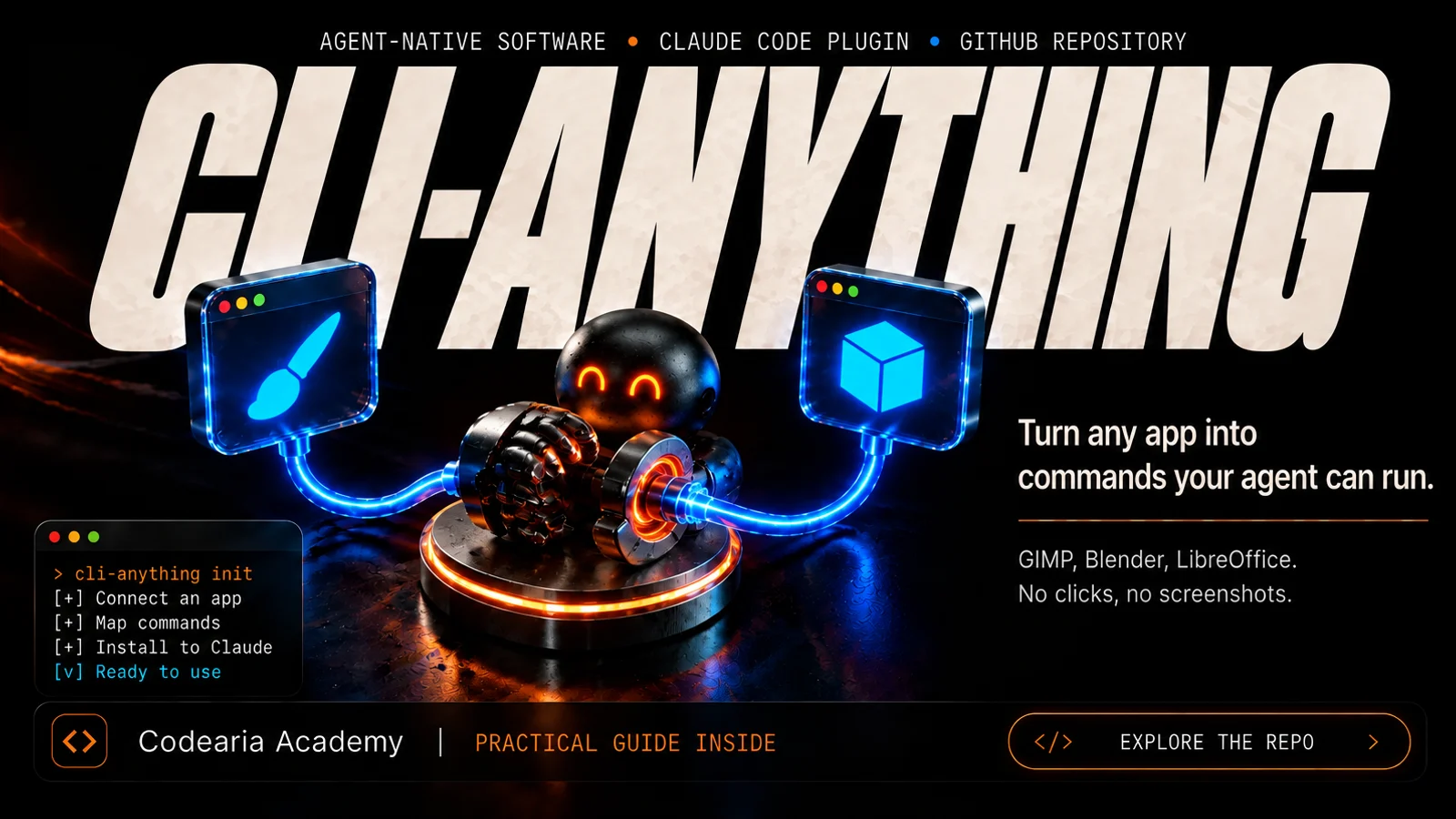 GitHub repository65kCLI-AnythingTurns an ordinary program like GIMP, Blender or LibreOffice into a set of commands an AI agent can use on its own, without screenshots or clicks. There is a catalogue of ready-made ones, and you can build your own with one command in Claude Code. Apache-2.0.
 GitHub repository73kAI Job SearchAI Job Search turns Claude Code into a job-hunt assistant: a tailored CV and cover letter PDF for each vacancy, critiqued by a second agent. Open source, MIT.
$ ls articles/ --related


Comments